
Sonic Unleashed
Method 1: Original Hardware
Sonic Unleashed compared to other games was released on multiple different platforms, which means that there are more options to play the game on official hardware if that is how you want to play it.
Xbox: While this game was originally released for the Xbox 360, you can still play and purchase this game on newer versions of the Xbox currently. And for pretty cheap too at only $14.99: Visit the Xbox store
Play Station 2 and 3: Additionally, Unleashed was also released for the PS2 and PS3 on launch. However unlike the Xbox, newer versions of the Play Station do not support backwards compatability, meaning that you can't play this game on a PS5 if you wanted to.
Wii: Finally, this game was released on the Nintendo Wii. Much like the Play Station, you can't play Unleashed on newer Nintendo hardware. Additionally, the Wii version of this game also has some cut content due to the Wii's limitations. So, if you prefer to experience everything this game has to offer, this version may not be the best choice (However, if you want to emulate this game through Dolphin, which is discussed later, than this is the version you will want to play).
Method 2: Dolphin Emulator
If you are ok with some of the game's features not being there, Dolphin Emulator is another pretty accessible way of playing Sonic Unleashed. All you need is just a Wii copy of this game and a little determination and you'll be able to play this game on your computer. If you want to use Dolphin Emulator to play this game, go here to learn how to set up Dolphin Emulator.
Method 3: Unleashed Recompiled
Coming soon!
Method 4: Sonic Generations Mod
If you don't mind not playing through the story and only having access to the daytime stages, this could be a decent way to technically play some of Unleashed. That is, if you own the orignal Steam release of Sonic Generations. (You can still get the original version of the game, but you have to buy it in a 50 dollar bundle that comes with other Sonic games which may or may not be ideal depending on the person.) Note: This method does not work on the Sonic x Shadow Generations release of the game. It has to be the original 2011 release!
- First, you are going to want to download the Hedgemod Manager. This is what will allow you to add mods to Sonic generations. The best thing about this mod manager is you also do not have to do any extra steps to set it up. It downloads as an executable and automatically detects supported games (including Sonic Generations), meaning for this part, the hard work is already done for you.
- Now, you are going to want to download the following mods:
- Sonic Unleashed Project: This is the base mod that you will need in order to get these Sonic Unleashed stages. Scroll down the page until you find the download links (personally I recommend the Google Drive link.) Click here.
- Unleashed Project Addon: This mod completely converts Sonic Generations into a mostly full on recreation of the Sonic Unleashed daytime stages. Once again, scroll down until you find the link to the Google Drive download. Click here.
- QTE Restoration: This mod adds the quick time events from Sonic Unleashed. Click here.
- Better FXPipline: Basically adds some quality of life graphics features. Also lets you change the bloom effects to look like Sonic Unleashed. Click here.
- Direct3D 9 Ex: This mod reduces RAM usage and makes the game run faster. Click here.
- This step is optional, but recommended. Take all of the downloaded mods and put them into their own folder so that way it is easier to find them later.
- Now, select all of your files and right click to extract the .zips.
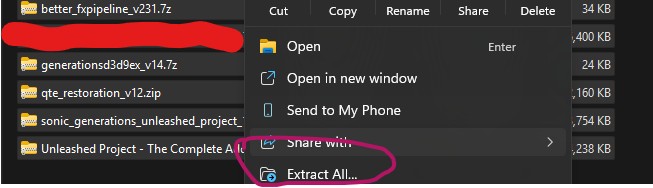
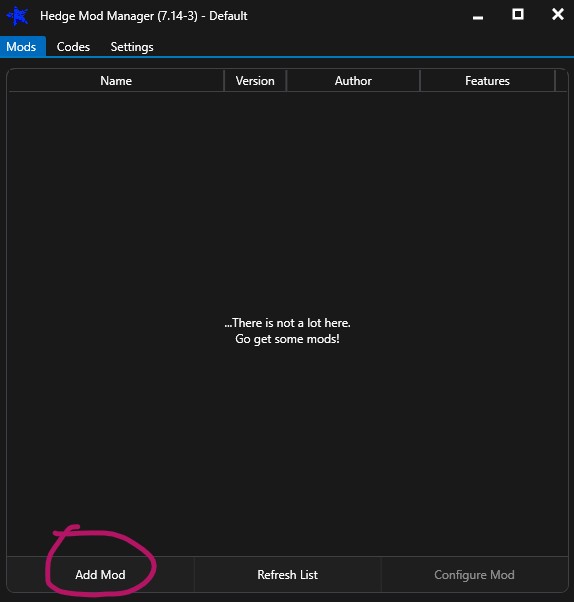
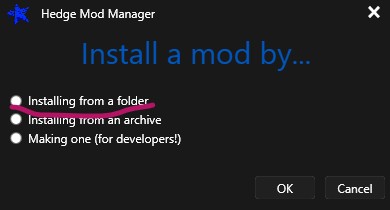
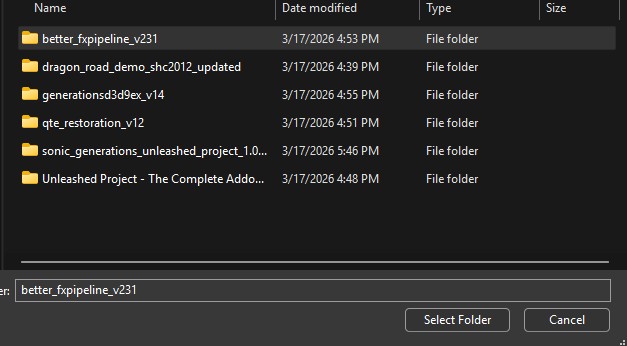
- Once you have all of the files extracted, go back to Hedgemod Manager. Select "Add Mod." In the popup, click on "Installing from a folder" and then ok. Your file explorer should pop up. Find the extracted folders of each of the mods you downloaded. Once you do, select the mod folder.
- If you have followed all of the steps correctly so far, your mods folder in Hedgemod Manager should look like this:
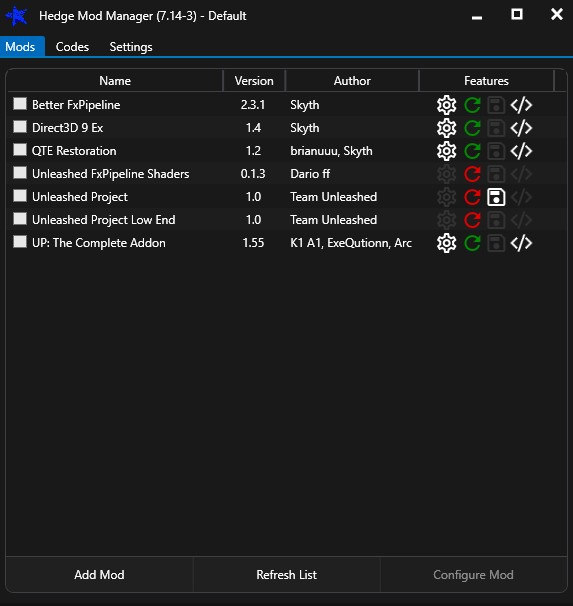
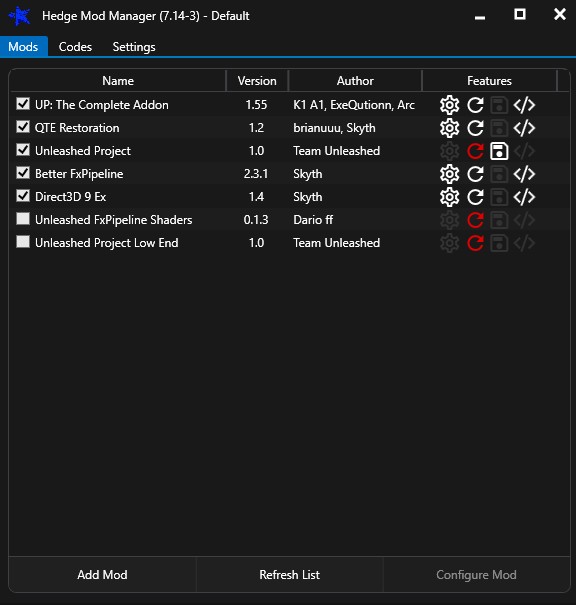
- Click the tick box to activate each mod. Addtionally, in order to ensure that the mods work correctly together, you are going to want to put them in a specific order. Refer to the picture below for what order the mods should go in. Note: The original Uneleashed Project mod also comes with the mods "Unleashed Project Low End" and "Unleashed FxPipeline Shaders" You do not need to tick these ones nor put them in the mod order.
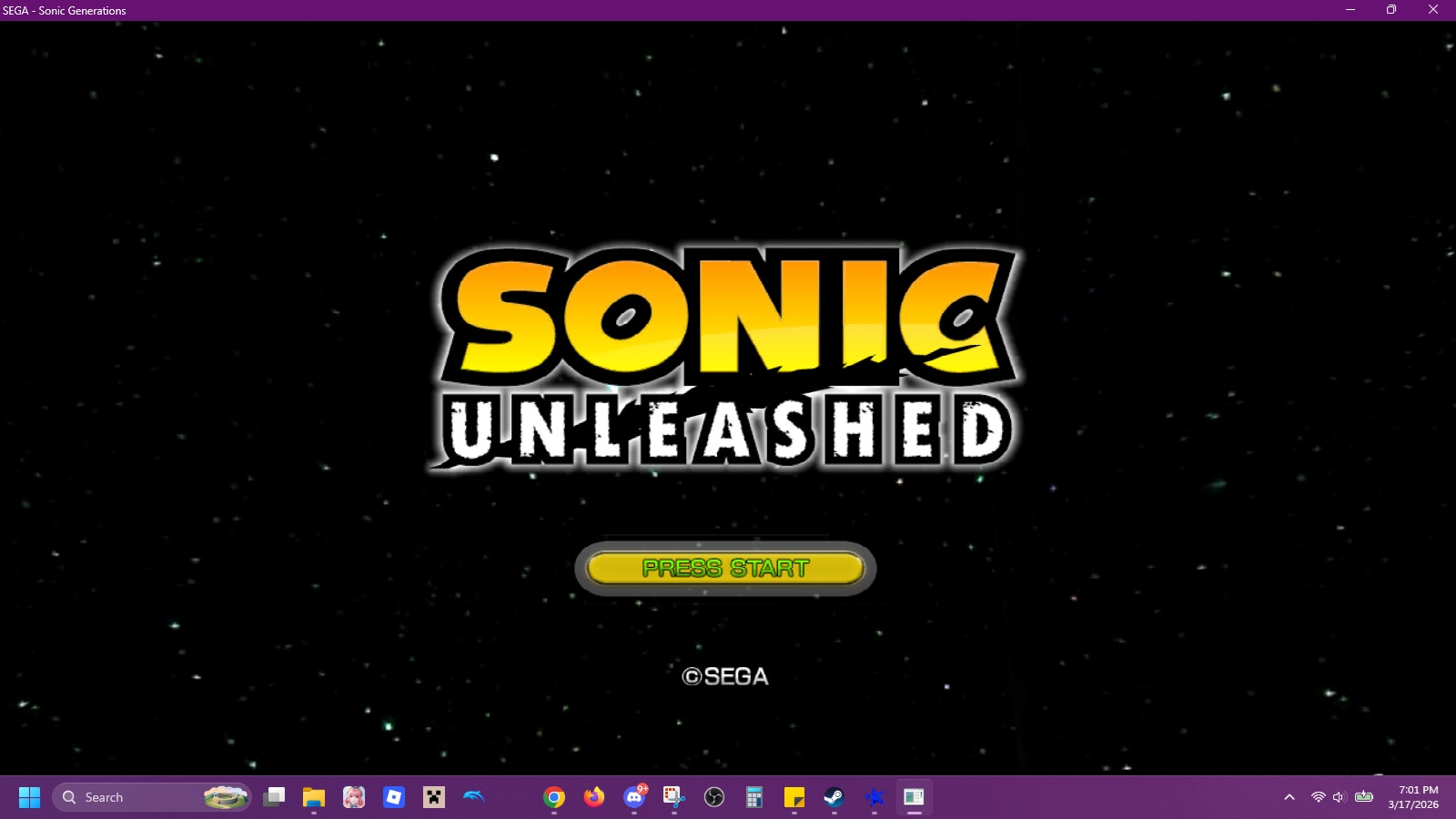
- Click either "Save" or "Save and Play." You are now officially all set to play this mod. Once you boot up the game, the menu should be replaced with a Sonic Unleashed themed menu instead of the usual Sonic Generations menu.
This website is not officially affliated with Sega, Sonic Team, or any other parties mentioned on this website. | Site Map